As AI tools become a bigger part of software development, developers are increasingly jumping between coding assistants, IDEs, terminals and agents. Logitech thinks there is room for a dedicated piece of hardware to make that juggling act a little easier.
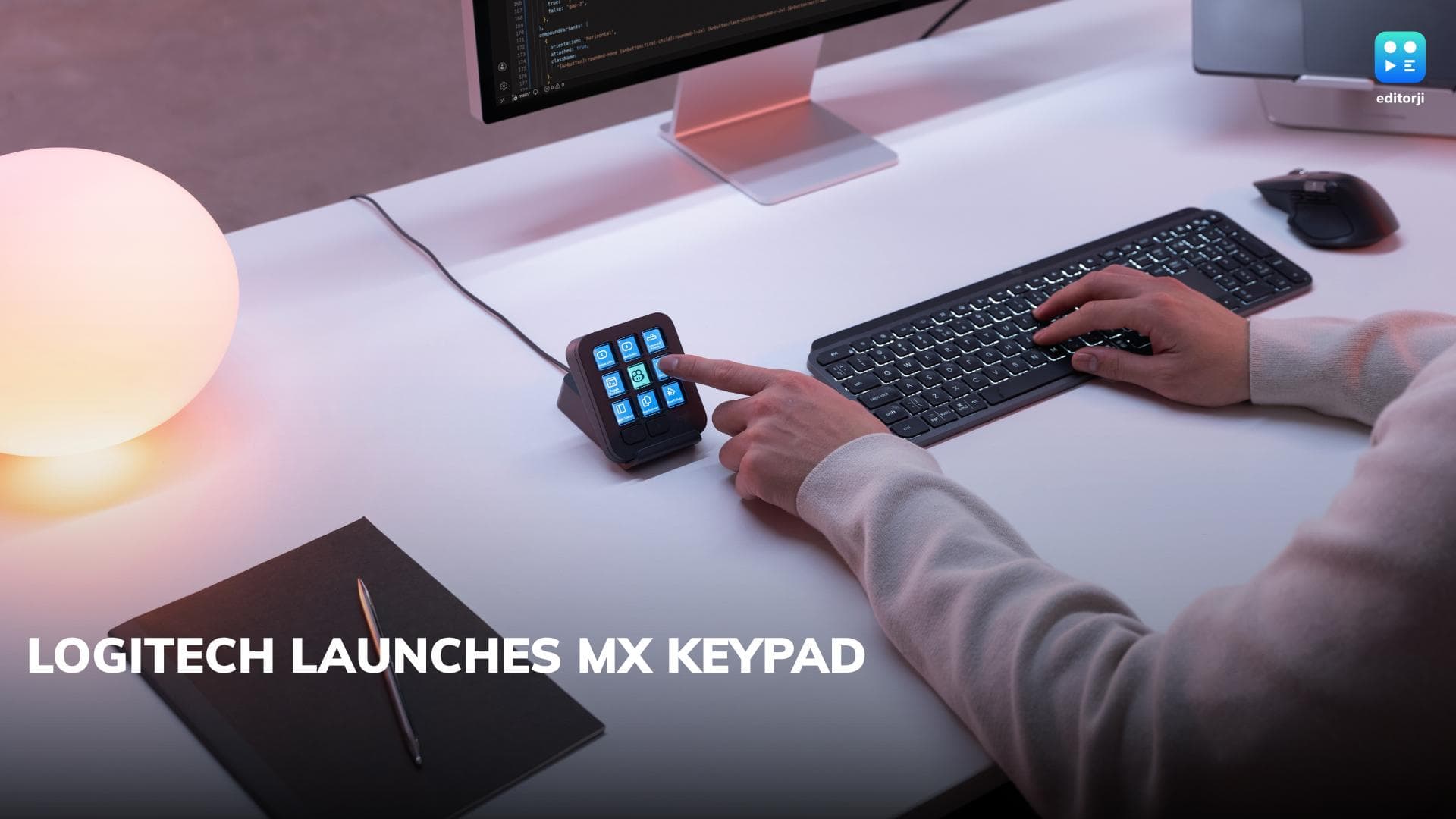
The company has launched the Logitech MX Keypad, a customisable physical control centre designed specifically for developers working across multiple AI coding tools and applications. It supports platforms including GitHub Copilot, Claude Code, VS Code and IntelliJ IDEA, allowing developers to trigger commands, execute prompt macros and perform actions without constantly navigating between different tools.
More importantly, Logitech isn't positioning the MX Keypad as a collection of fixed shortcuts. Individual keys can be configured to control one or multiple applications and AI agents, essentially allowing developers to build a physical control panel around their own workflow.
Logitech MX Keypad Wants to Put AI Tools at Your Fingertips
The basic idea behind the MX Keypad is fairly straightforward. Developers can assign frequently used actions, prompts and commands to physical keys, reducing the amount of switching required while working across an increasingly complicated development stack.
Logitech says the keypad offers cross-app compatibility and can bring AI workflows, complex prompts and development tools together. It also ships with developer-created plugins for GitHub Copilot and Claude Code.
The device was shaped with feedback from Logitech's MX Collective and GitHub communities, according to the company.
There is also a fairly significant GitHub connection here. Logitech developed the MX Keypad in collaboration with GitHub, and the device launches with native GitHub integration, including support for VS Code and the GitHub Copilot app. Logitech says it plans to expand functionality to additional tools over time.
Every MX Keypad also comes with three months of GitHub Copilot Pro+, which can be redeemed through Logi Options+ by both new and existing users.
Developers Can Build Their Own MX Keypad Integrations
Where things get more interesting is customisation. Logitech is opening the keypad up through its Logi Actions SDK, allowing developers to create their own tools and integrations rather than relying solely on whatever Logitech provides out of the box.
The company says its documentation has been designed to work well with AI coding agents, meaning those agents can generate custom integrations using the SDK.
Community-developed plugins for Claude Code and OpenAI Codex have already been published on the Logi Marketplace. These can provide functionality such as real-time agent status tracking and CLI controls directly through the keypad's physical keys. Logitech says the underlying platform reaches more than 100 million compatible Logitech devices.
That could ultimately be the MX Keypad's biggest selling point. Rather than trying to predict exactly how developers will use AI tools, Logitech is effectively giving them a programmable hardware layer that they can adapt as their workflows change.
Logitech MX Keypad Price in India
The Logitech MX Keypad is priced at ₹15,999 in India and will be available in a Graphite colour option.
Logitech has also incorporated some sustainability measures into the hardware. The Graphite model uses 64 percent certified post-consumer recycled plastic, while its paper packaging comes from FSC-certified forests and other controlled sources.
At ₹15,999, this is clearly a specialised accessory rather than something every developer is going to need. But as coding workflows increasingly involve several AI assistants, agents and development environments running alongside one another, Logitech is betting that some developers will find value in moving their most-used software controls off the screen and onto a dedicated piece of hardware.