Highlights

  • Camera upgrades with richer colours

  • Smoother UI and faster app launch

  • April security patch included

  • Boosted gaming performance

  • Improved Portrait Mode accuracy

Latest news

Haier Launches HQLED P7 Pro Series TVs With Google Gemini, 50W Audio And AI Picture Enhancements

Haier Launches HQLED P7 Pro Series TVs With Google Gemini, 50W Audio And AI Picture Enhancements

Nothing's Latest Pokémon Teasers Hint At New Hardware, RCB Collaboration May Also Be In The Works

Nothing's Latest Pokémon Teasers Hint At New Hardware, RCB Collaboration May Also Be In The Works

OnePlus N6 Set To Debut With Massive 8,000mAh Battery And Long-Term Performance Focus

OnePlus N6 Set To Debut With Massive 8,000mAh Battery And Long-Term Performance Focus

Roblox Introduces Age-Based Accounts for Younger Users, Expands Parental Controls Globally

Roblox Introduces Age-Based Accounts for Younger Users, Expands Parental Controls Globally

IIFL Capital Launches Algo Marketplace with Over 100 Ready-Made Strategies

IIFL Capital Launches Algo Marketplace with Over 100 Ready-Made Strategies

LUMIQ Raises INR 50 Crore Pre-Series B to Become the AI Decision Layer for Financial Services

LUMIQ Raises INR 50 Crore Pre-Series B to Become the AI Decision Layer for Financial Services

Tay Keith, producer behind Travis Scott's 'Sicko Mode' dies at 29

Tay Keith, producer behind Travis Scott's 'Sicko Mode' dies at 29

GenAI could lift realty sales velocity by up to 50%, speed up launches by 30%: Report

GenAI could lift realty sales velocity by up to 50%, speed up launches by 30%: Report

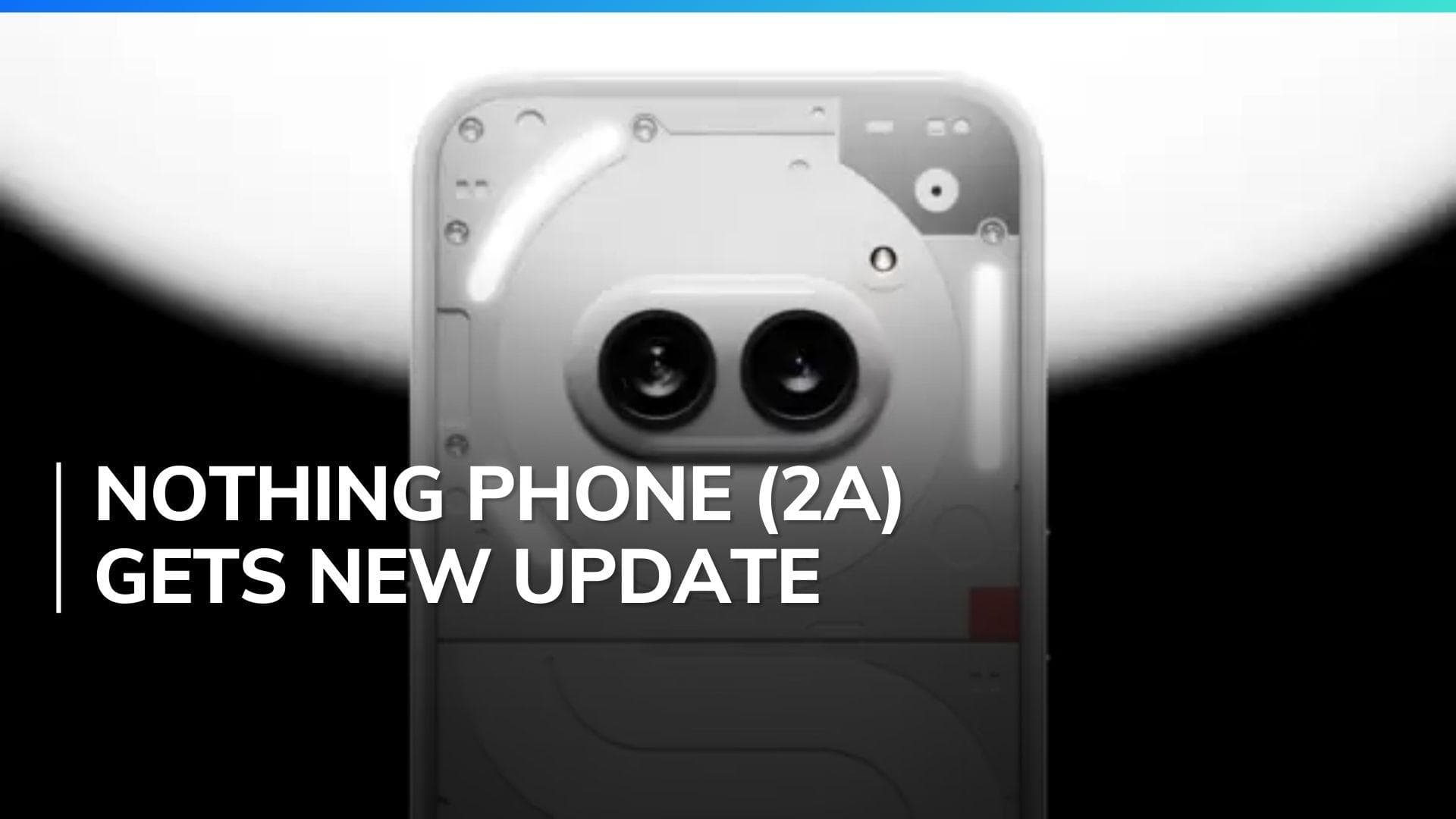
Nothing Phone (2a) boosts camera performance in latest April 2024 update: Check full details here!

Nothing OS 2.5.5 brings significant camera improvements to the Nothing Phone (2a), with richer colour reproduction and better Portrait Mode accuracy. The update also includes the April security patch, smoother animations, Google Assistant optimizations

Nothing Phone (2a) boosts camera performance in latest April 2024 update: Check full details here!

Since its March release, the Nothing Phone (2a) has seen a steady stream of updates. The latest, Nothing OS 2.5.5, focuses on refinements like camera updates, the April security patch, and general system tweaks. Let's break down the improvements and see how to install Nothing OS 2.5.5.

Nothing Phone (2a): Camera Improvements

The April update for the Nothing Phone (2a) focuses on significant camera improvements. This enhancement is set to deliver photos and videos with richer and more vibrant colours.

Portrait Mode has received special attention, improving the background blur and overall sharpness of images. Moreover, the update has made the camera app quicker and more responsive, making the photography experience on the Nothing Phone (2a) better and more efficient.

Nothing Phone (2a): General Enhancements

The latest software update for the Nothing Phone (2a) includes several enhancements beyond photography improvements. It incorporates the crucial April security patch, which is vital for maintaining the device's protection against vulnerabilities. Additionally, the update brings optimizations to the Google Assistant, providing a more efficient and responsive user experience when using voice commands.

The user interface (UI) also benefits from this update with smoother animations, making interactions feel more fluid and aesthetically pleasing. Furthermore, gamers will appreciate the boost in gaming performance, which ensures smoother gameplay and potentially faster load times.

Nothing Phone (2a): Bug Fixes

The latest update for the Nothing Phone (2a) fixes various bugs. It enhances compatibility with third-party launchers and improves the stability of Wi-Fi and Bluetooth connections. Additionally, the Night Light feature now works correctly on the lock screen. These improvements make the phone more stable and reliable overall.

How to Install Nothing OS 2.5.5

Before updating, back up your important data as a precaution. Also, ensure your device has a good charge level. Then, follow these steps:

  • Access your Nothing Phone (2a) Settings.
  • Navigate to System -> System Update.
  • Download the new update.
  • Once downloaded, initiate the installation (your phone may reboot during this process).

After unlocking your phone, you should be running the latest version of Nothing OS.

Also Watch: New price cuts make OnePlus 11 a steal in India: Full details here!

ADVERTISEMENT

Up Next

Nothing Phone (2a) boosts camera performance in latest April 2024 update: Check full details here!

Nothing Phone (2a) boosts camera performance in latest April 2024 update: Check full details here!

Haier Launches HQLED P7 Pro Series TVs With Google Gemini, 50W Audio And AI Picture Enhancements

Haier Launches HQLED P7 Pro Series TVs With Google Gemini, 50W Audio And AI Picture Enhancements

Nothing's Latest Pokémon Teasers Hint At New Hardware, RCB Collaboration May Also Be In The Works

Nothing's Latest Pokémon Teasers Hint At New Hardware, RCB Collaboration May Also Be In The Works

OnePlus N6 Set To Debut With Massive 8,000mAh Battery And Long-Term Performance Focus

OnePlus N6 Set To Debut With Massive 8,000mAh Battery And Long-Term Performance Focus

Roblox Introduces Age-Based Accounts for Younger Users, Expands Parental Controls Globally

Roblox Introduces Age-Based Accounts for Younger Users, Expands Parental Controls Globally

Redmi Turbo 5 Review: Big Battery, Fast Gaming, Great Value

Redmi Turbo 5 Review: Big Battery, Fast Gaming, Great Value

ADVERTISEMENT

editorji-whatsApp

More videos

Realme Watch S5 Review: One of the Best Smartwatches Under ₹8,000? 

Realme Watch S5 Review: One of the Best Smartwatches Under ₹8,000? 

Asus ROG goes big for its 20th birthday with new gaming and creator laptops

Asus ROG goes big for its 20th birthday with new gaming and creator laptops

Realme P4R 5G Review: The Ultimate Budget Marathon Runner 

Realme P4R 5G Review: The Ultimate Budget Marathon Runner 

Asus Zenbook S14 Review: Stunning OLED Display Meets All-Day Battery Life

Asus Zenbook S14 Review: Stunning OLED Display Meets All-Day Battery Life

Xiaomi 17T Review: A Camera-First Flagship That Gets Almost Everything Right

Xiaomi 17T Review: A Camera-First Flagship That Gets Almost Everything Right

Qualcomm wants to make AI PCs more affordable with its new 'Snapdragon C' platform

Qualcomm wants to make AI PCs more affordable with its new 'Snapdragon C' platform

Realme Buds Air8 Pro Review: The New Benchmark for TWS Under ₹10,000 

Realme Buds Air8 Pro Review: The New Benchmark for TWS Under ₹10,000 

Oppo Find X9 Ultra Review: A No-Compromise Ultra Phone

Oppo Find X9 Ultra Review: A No-Compromise Ultra Phone

Realme 16T 5G Review: Battery anxiety officially cancelled 

Realme 16T 5G Review: Battery anxiety officially cancelled 

Oppo Find X9s Review: The Android All-Rounder That Actually Delivers, Big Time!

Oppo Find X9s Review: The Android All-Rounder That Actually Delivers, Big Time!

Editorji Technologies Pvt. Ltd. © 2022 All Rights Reserved.