Highlights

  • Apple released iOS Update 17.5 on 13th May for iPhones
  • The update introduces new features like Pride wallpapers
  • Security measures too have been enhanced.

Latest news

OnePlus 15R first look: OnePlus changes the R-series playbook

OnePlus 15R first look: OnePlus changes the R-series playbook

India's retail inflation rises to 0.71% in November

India's retail inflation rises to 0.71% in November

Cabinet approves CoalSETU window for auction of coal to boost industrial use and export

Cabinet approves CoalSETU window for auction of coal to boost industrial use and export

Cabinet approves Minimum Support Price for Copra for 2026 season

Cabinet approves Minimum Support Price for Copra for 2026 season

Fire never left: Vinesh Phogat comes out of retirement, targets LA Olympics

Fire never left: Vinesh Phogat comes out of retirement, targets LA Olympics

Flexible office segment in India set to grow faster, over 25% annually by 2027: Report

Flexible office segment in India set to grow faster, over 25% annually by 2027: Report

Rahul Gandhi flags issue of air pollution, seeks discussion in Lok Sabha

Rahul Gandhi flags issue of air pollution, seeks discussion in Lok Sabha

Japan lifts tsunami warning after magnitude 6.7 quake

Japan lifts tsunami warning after magnitude 6.7 quake

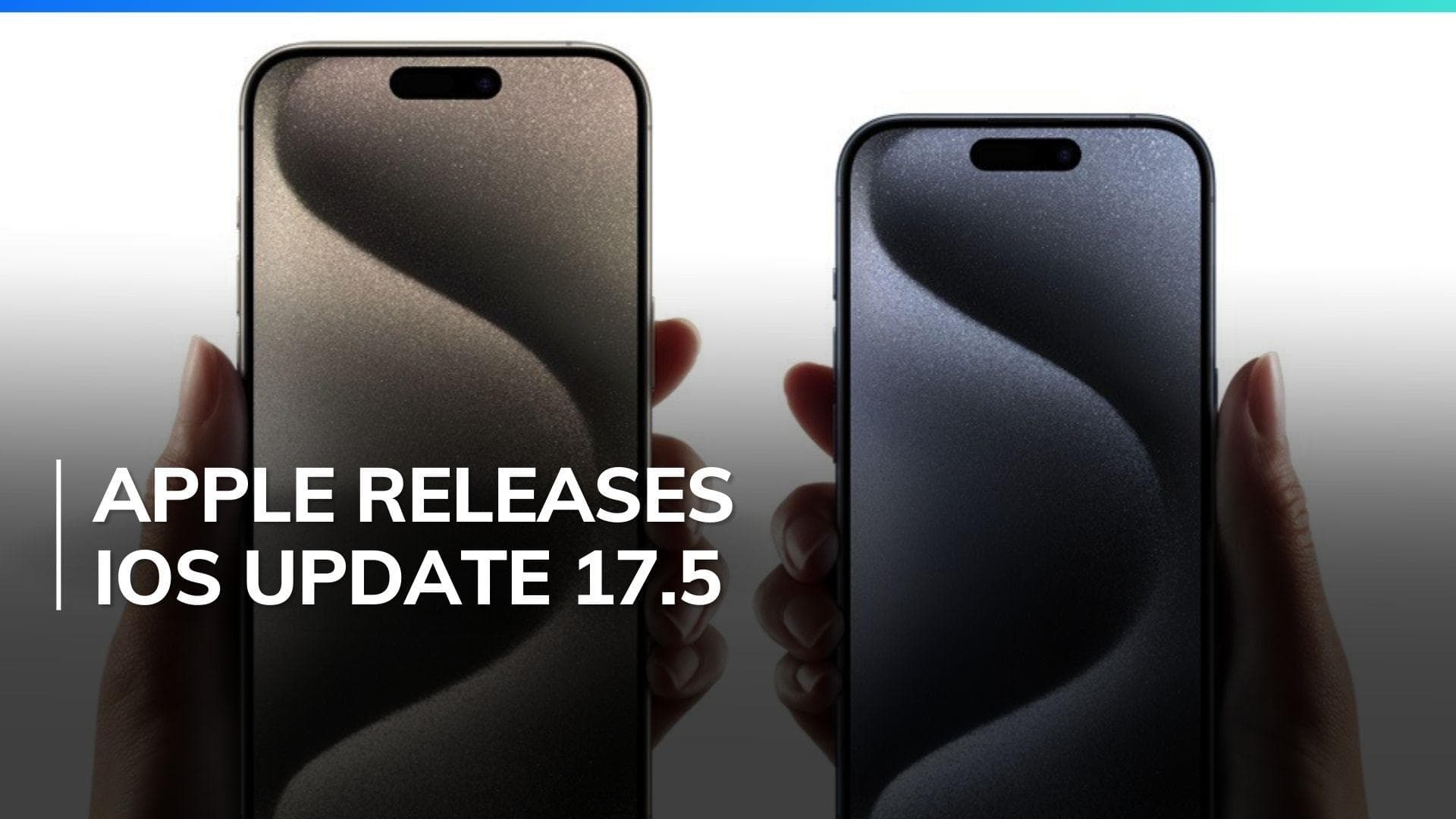
Apple releases iOS 17.5 update with new features and security measures; Here’s how to install

Apple released their latest iOS 17.5 update for iPhones on 13th May. It brought new features like web app distribution, Pride wallpapers, security enhancements, and more. Here's everything new in iOS 17.5 update. 

Apple releases iOS 17.5 update with new features and security measures; Here’s how to install

Apple has launched the iOS 17.5 update for iPhone users, introducing new features, security updates, and performance enhancements. This article covers the key aspects of the update, including new features, compatible devices, and installation instructions.

iOS 17.5 Update Key Features

The iOS 17.5 update introduces several notable features.

  • Web App Distribution

A major change for EU users is the ability to install apps directly from websites through the web app distribution feature. Developers can now distribute their iOS apps via their websites, adhering to Apple's notarization guidelines and paying a Core Technology Fee for installations exceeding one million a year.

  • Repair State in Find My

The update also includes a new Repair State feature in the Find My app. This allows users to send their iPhones for repair without disabling Find My and Stolen Device Protection. This ensures users can still track their devices during repairs.

  • Anti-Stalking Capabilities

To enhance security, iOS 17.5 incorporates anti-stalking capabilities for accessories like AirTags. This feature, developed in partnership with Google, helps identify and disable tracking accessories not certified by Apple or Find My.

  • New Pride Wallpapers

The update introduces new Pride wallpapers for iPhone and iPad users, demonstrating Apple's support for LGBTQ+ communities. Additionally, the watchOS 10.5 update includes a new Pride watch face, and a Pride Edition Braided Solo Loop is available for Apple Watch users.

  • Podcasts Widget and Apple Books Redesign

The Podcasts widget now has a dynamic color that changes based on the currently playing podcast's artwork. The Apple Books app features a redesigned Reading Goal icon, and the Settings app includes a new glyph for the Passkeys Access for Web Browsers menu under Privacy & Security.

  • Apple News+ Enhancements

For Apple News+ subscribers in the US and Canada, iOS 17.5 introduces a new word game called Quartiles and an offline mode. This mode allows users to access Top Stories, Apple News Today audio briefings, full magazine issues, and narrated articles without an internet connection.

iOS 17.5 Compatible Devices

The iOS 17.5 update is available for the following iPhone models:

  • iPhone XR, XS, and XS Max
  • iPhone 11, 11 Pro, and 11 Pro Max
  • iPhone SE (2nd and 3rd gen)
  • iPhone 12 mini, 12, 12 Pro, and 12 Pro Max
  • iPhone 13 mini, 13, 13 Pro, and 13 Pro Max
  • iPhone 14, 14 Plus, 14 Pro, and 14 Pro Max
  • iPhone 15, 15 Plus, 15 Pro, and 15 Pro Max

How to Install iOS 17.5 Update on Your Apple Device?

To install the iOS 17.5 update on your iPhone, follow these steps:

  • Open the Settings app on your device.
  • Tap on General, then select Software Update.
  • If the iOS 17.5 update is available, it will be listed on this screen.
  • Tap on Download and Install to begin the process.

Ensure your device is connected to a power source or has at least 50% battery life before proceeding. Once the installation is complete, your iPhone will restart, and you will be running iOS 17.5 with all its new features and security enhancements.

Also watch: Samsung responds to Apple's controversial iPad Pro ad titled “UnCrush” with new Galaxy Tab S9 campaign

ADVERTISEMENT

Up Next

Apple releases iOS 17.5 update with new features and security measures; Here’s how to install

Apple releases iOS 17.5 update with new features and security measures; Here’s how to install

OnePlus 15R first look: OnePlus changes the R-series playbook

OnePlus 15R first look: OnePlus changes the R-series playbook

OnePlus Pad Go 2 First Look: Larger display, more polish, but does it work?

OnePlus Pad Go 2 First Look: Larger display, more polish, but does it work?

Realme Watch 5 Review: A budget smartwatch that gets the basics right

Realme Watch 5 Review: A budget smartwatch that gets the basics right

Realme P4x Review: Budget performer with a beast of a battery

Realme P4x Review: Budget performer with a beast of a battery

Nothing Phone 3a Community Edition ASMR Unboxing & First Look: For the fans, by the fans

Nothing Phone 3a Community Edition ASMR Unboxing & First Look: For the fans, by the fans

ADVERTISEMENT

editorji-whatsApp

More videos

Comic Con Delhi 2025: Sony PlayStation Leads the Floor

Comic Con Delhi 2025: Sony PlayStation Leads the Floor

OnePlus marks 12 years in India with a new six-star lineup for the 15R reveal

OnePlus marks 12 years in India with a new six-star lineup for the 15R reveal

Vivo X300 Pro Review: Pro-grade cameras, fantastic performance, but is it truly unbeatable?

Vivo X300 Pro Review: Pro-grade cameras, fantastic performance, but is it truly unbeatable?

Realme Watch 5 First Look: Inside the factory where It’s Made in India

Realme Watch 5 First Look: Inside the factory where It’s Made in India

Vivo X300 Review: Compact flagship, powerful performance, but what about the cameras?

Vivo X300 Review: Compact flagship, powerful performance, but what about the cameras?

Nothing Phone 3a Lite Review: Easy to like, but is it good value for money?

Nothing Phone 3a Lite Review: Easy to like, but is it good value for money?

iQOO 15 Review: A premium leap that finally puts iQOO in the top tier

iQOO 15 Review: A premium leap that finally puts iQOO in the top tier

Realme GT 8 Pro Dream Edition: Premium or Just Racing Paint? Full Review  

Realme GT 8 Pro Dream Edition: Premium or Just Racing Paint? Full Review  

Blaupunkt 65-inch Google Mini QD TV Review: The Surprise Package of 2025?

Blaupunkt 65-inch Google Mini QD TV Review: The Surprise Package of 2025?

Oppo Find X9 Pro Review: Massive Battery, Pro Cameras, Big Price — Worth It?

Oppo Find X9 Pro Review: Massive Battery, Pro Cameras, Big Price — Worth It?

Editorji Technologies Pvt. Ltd. © 2022 All Rights Reserved.