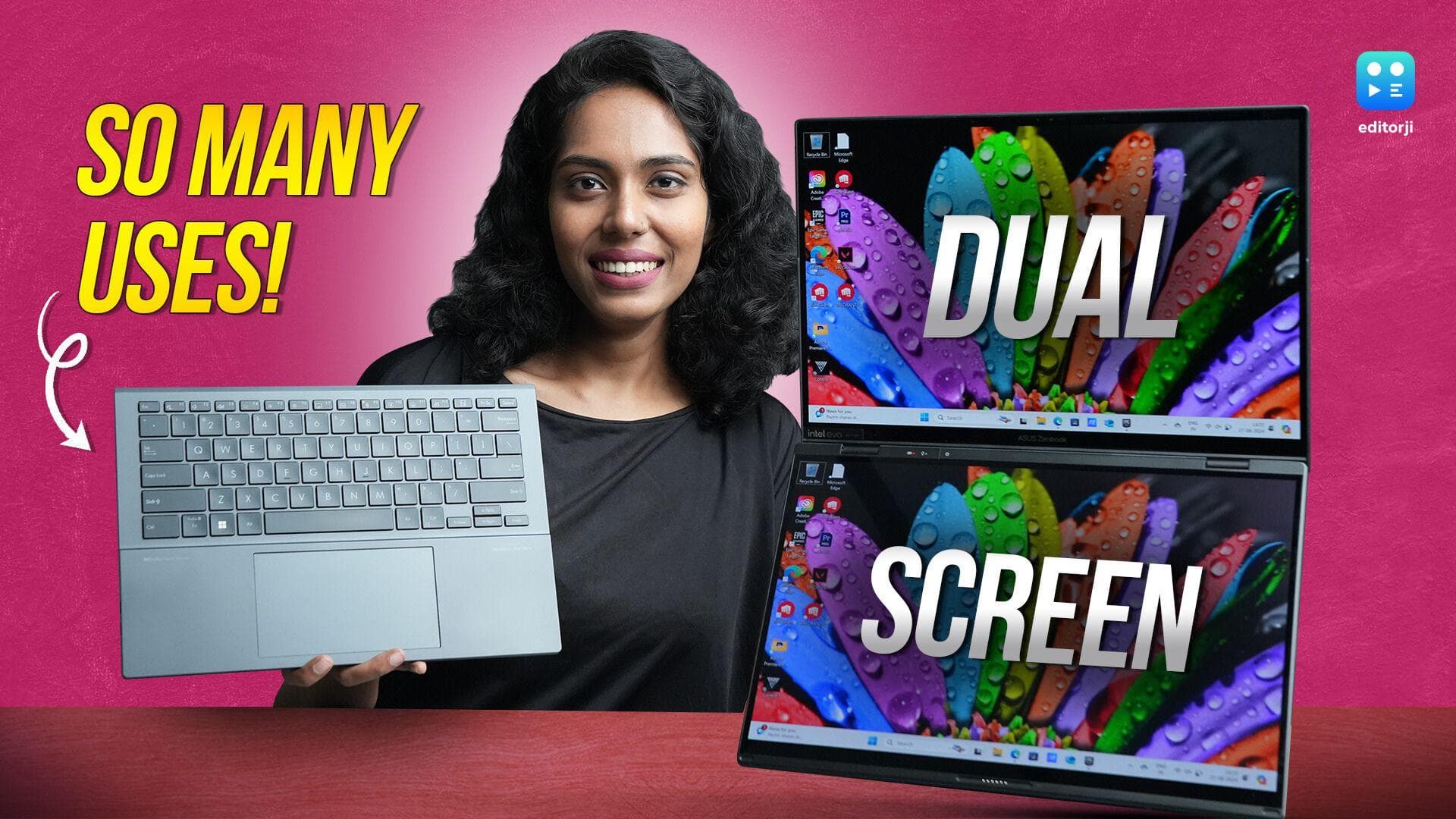
When you think of a laptop, a single screen is what typically comes to mind. However, the Asus ZenBook Duo is here to challenge that notion with its innovative dual-screen setup. This laptop not only redefines multitasking but also enhances productivity in ways that make it hard to revert to a standard laptop. In this review, we'll dive deep into what makes the ZenBook Duo stand out and explore both its strengths and areas where it could improve.
Asus Zenbook Duo: Dual Displays
The first thing that grabs your attention is undoubtedly the dual 14-inch OLED touchscreens. Both screens feature a Full HD+ resolution and a 60Hz refresh rate. The colors are vibrant, and the blacks are inky, delivering a visually pleasing experience. Even though the screens don't offer a 120Hz refresh rate, the fluidity in moving windows or tabs between the displays is impressive. This seamless interaction between the two screens is key to the ZenBook Duo's appeal, making multitasking not just possible, but enjoyable.
Asus Zenbook Duo: Detachable Keyboard
A crucial feature that enhances the usability of these dual screens is the detachable keyboard. This Bluetooth-enabled keyboard can be detached from the lower display, allowing for a more comfortable typing experience. It attaches magnetically via pogo pins, ensuring it stays securely in place. The keyboard is powered directly by the laptop, so you don't have to worry about it running out of battery mid-task. The key travel of 1.3mm provides a satisfying typing experience, and the backlighting ensures that working in low-light conditions is not an issue. The full-sized trackpad, with its PVD coating, makes navigation smooth and effortless, rounding out an excellent input experience.
Asus Zenbook Duo: Laptop Modes
Versatility is where the ZenBook Duo truly shines. It offers multiple modes to cater to different tasks. In the classic dual-screen laptop mode, the setup maximizes productivity by allowing multiple windows to be open across both screens. The virtual keyboard can be summoned by touching six fingers on the lower display, and while it may not be as responsive as the physical keyboard, it serves as a useful backup. Sharing mode takes advantage of the 180-degree hinge, allowing you to lay the screen flat for easy content sharing with someone sitting across from you. Desktop mode, with its integrated kickstand, props the laptop at a comfortable angle, making it ideal for extended use. Whether you're watching videos on the top screen or working on the lower one, this mode enhances comfort and usability. Additionally, rotating the setup into portrait orientation makes it perfect for tasks like writing or coding.
Asus Zenbook Duo: Software
Managing two screens effectively requires the right software, and Asus delivers with its ScreenXpert software. This tool acts as the command center for screen management, allowing you to adjust brightness, turn off the second screen to conserve battery, and organize your apps into task groups for easy workflow resumption. This seamless integration of software with hardware ensures that the dual-screen experience feels cohesive and intuitive.
Asus Zenbook Duo: Portability & Design
Despite the additional screen, the ZenBook Duo remains surprisingly portable. Weighing 1.65 kg with the keyboard attached and 1.35 kg without, it's easy to carry around. The laptop's design is both functional and stylish, with signature geometric lines on the brushed aluminum lid, making it a visually appealing device that performs as well as it looks.
Asus Zenbook Duo: Performance & Thermals
Under the hood, the ZenBook Duo packs a punch. The highest-spec model comes with an Intel Core Ultra 9 processor, 32GB of RAM, and a 2TB SSD. This setup is more than capable of handling demanding tasks like video editing and multitasking across multiple apps. However, the dual-screen design does pose challenges in cooling. The laptop tends to heat up quickly under heavy use, and despite employing two fans and exhaust vents, keeping the device cool during intense sessions remains a challenge.
Asus Zenbook Duo: Battery and Charging
Battery life is another area where the dual displays take a toll. With both screens active, you can expect about five to six hours of runtime, which is decent for a dual-screen setup. However, under heavy multitasking, this can drop to around three hours. On days when you use it as a traditional single-screen laptop, you might squeeze out nearly eight hours, making the 65W charger a necessity for long workdays.
Asus Zenbook Duo: Other Features
Audio performance is another area where the ZenBook Duo falls short. The speakers provide adequate volume but lack depth and clarity, especially when the volume is pushed above 60 percent, where the sound becomes somewhat shrill. In terms of ports, the selection is decent but could be better. The laptop includes two Thunderbolt 4 ports, one USB-A port, an HDMI 2.1, and a headphone jack. However, the absence of an SD card reader and an extra USB-C port is noticeable, as these would significantly enhance the laptop's productivity potential.
Asus Zenbook Duo Review: Verdict
The Asus ZenBook Duo is a remarkable laptop that excels in multitasking and productivity. Its dual-screen design, paired with thoughtful software and solid performance, makes it a compelling choice for professionals and creatives alike. However, the challenges with thermals, battery life, and audio performance are worth considering. For those who prioritize multitasking and don't mind the higher price tag, the Intel Core Ultra 5 model with 16GB RAM and 1TB storage at ₹1,79,990 offers great value. But if you don't need the dual screens, alternatives like the Apple MacBook Air 13" M3 with 16GB RAM and 512GB storage at ₹1,54,900 might be a better fit. In the end, the ZenBook Duo is an excellent choice for those who want to push the boundaries of what's possible with a laptop.
Also watch: Samsung Galaxy Watch Ultra Unboxing and First Impressions: Durable powerhouse! Check price, and specs