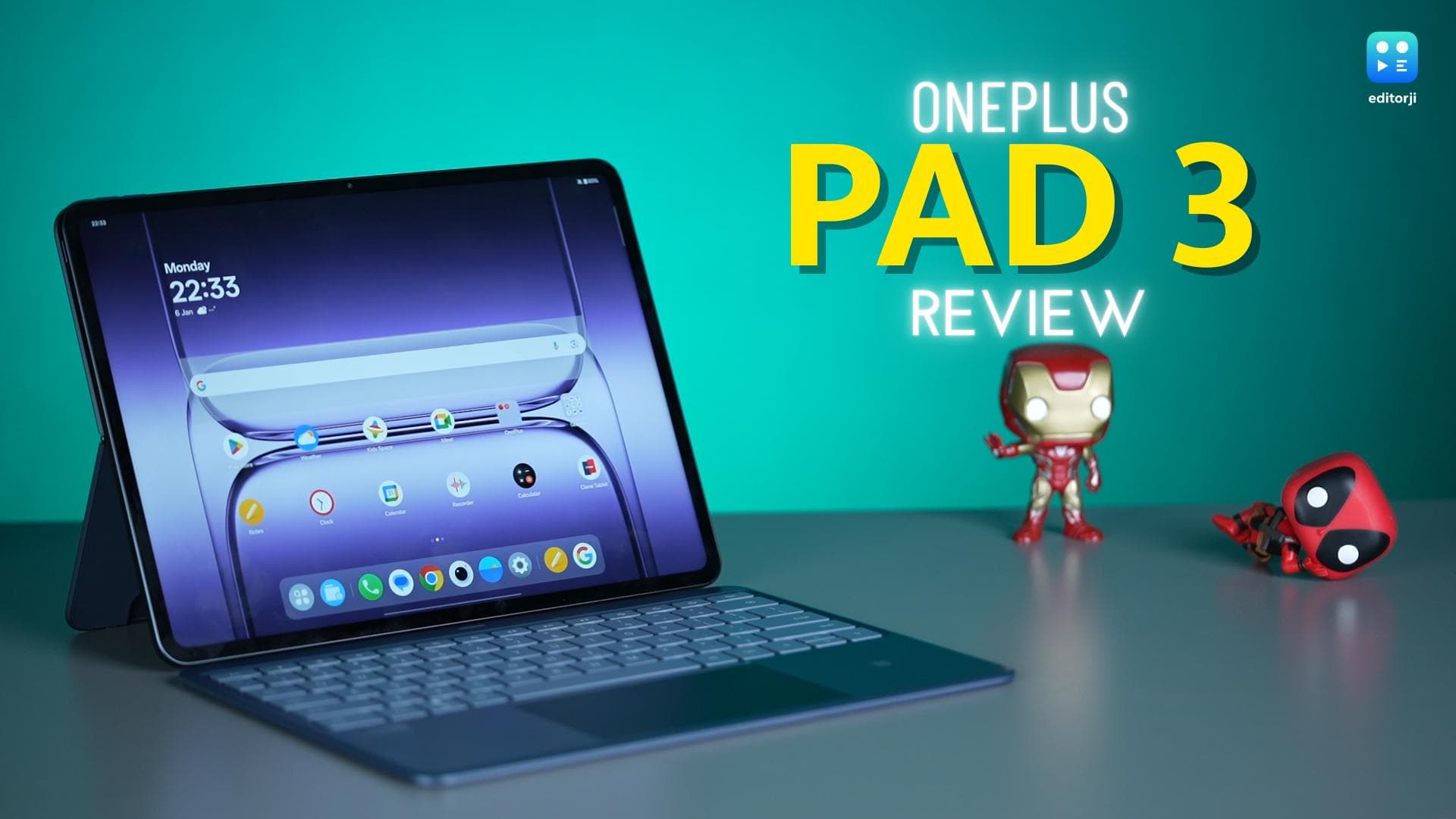
The OnePlus Pad 3 has been my main tablet for the past two months, handling everything from work to streaming and a bit of gaming on the side.
On paper, it’s clearly aimed at shaking up the premium tablet market, going up against both top Android rivals and even Apple’s iPad lineup.
But at ₹42,999, it’s not exactly cheap, so expectations are sky-high. After living with it day in and day out, the big question is whether the Pad 3 actually lives up to the hype, or if it’s just another face in the crowded world of premium tablets.
OnePlus Pad 3 Long Term Review: Display and Audio
Let’s kick things off with the display, because that’s what you notice every single time you pick up a tablet. After two months with the OnePlus Pad 3, I have to say, the 13.2-inch LTPS LCD has seriously impressed me. With a super sharp 3.4K resolution and a buttery-smooth 144Hz refresh rate, everything, from scrolling through articles to playing games, looks incredibly crisp and responsive.
The colours on this screen are punchy, and the contrast is so good that it honestly gives off AMOLED vibes. The first time I fired it up, I actually had to check the specs again just to be sure it wasn’t an OLED.
The only real giveaway that it’s still an LCD is when you really scrutinise the blacks or tilt the screen at a sharp angle; that’s when you might notice a bit of colour shift and less-than-perfect black levels. Still, the 12-bit panel makes every image and video pop, and it’s just so much more vibrant than what you usually get at this price.
Brightness is pretty much unchanged from last year, peaking at 900 nits in High Brightness Mode and settling around 600 nits normally. I never struggled with visibility, whether I was indoors, outdoors, or even doomscrolling by the window on a sunny afternoon.
One thing I genuinely like: the bezels. OnePlus didn’t try to make them vanishingly thin, and that’s a good thing. On a tablet this big, a little bezel actually helps you grip it without accidental touches.
The 7:5 aspect ratio is another smart move. It’s perfect for browsing and reading, though you’ll see black bars on videos. But watching anything is still a treat thanks to Dolby Vision support. While Netflix weirdly skips Dolby Vision here, YouTube HDR works perfectly.
Audio also gets a major boost. There are now four woofers and four tweeters, making the sound surprisingly rich, loud, and detailed. Even at max volume, distortion is barely noticeable. Plus, Bluetooth audio is fully loaded with support for every high-res codec you could want, including aptX, aptX HD, LDAC, and LHDC.
OnePlus Pad 3 Long Term Review: Design
The OnePlus Pad 3 brings a fresh design this year, and it’s instantly noticeable. The big circular camera module from last time has been swapped for a pill-shaped island, now shifted off to the side. This simple change gives the back a much sleeker, more streamlined look. The sides have gone flat instead of rounded, and that alone adds a more premium, upmarket vibe to the tablet. Even the pogo pins for the Bluetooth keyboard have moved—they’re now on the back panel rather than the side.
With the new hardware, the Pad 3 is a bit heavier than before, tipping the scales at 675 grams versus last year’s 584 grams. Still, it stays impressively slim at just 5.97mm, and the weight distribution is so balanced that holding it one-handed never felt awkward or tiring.
Unlike last year, OnePlus is offering the Pad 3 in two colours: Frosted Silver and Storm Blue, both of which look and feel great.
On the downside, you’re still limited to WiFi only—there’s no cellular model or even eSIM support. And for security, you’re stuck with basic face unlock via the front camera, with no fingerprint scanner in sight.
OnePlus Pad 3 Long Term Review: Accessories
I’ve been using the OnePlus Pad 3 with its new keyboard folio, and I have to say, the whole experience is super smooth. The folio still comes in two parts: the top half snaps magnetically to the back and serves as a surprisingly sturdy kickstand, while the keyboard connects easily to the new pogo pins. It’s also detachable, so you can use it wirelessly as a Bluetooth keyboard—something I actually found myself doing more often than expected.
Do keep in mind, though, that the Pad 3’s pogo pins and mounting system have changed. That means your old Pad 2 keyboard won’t work here, so you’ll need to grab the new one if you’re upgrading.
Typing on the new keyboard feels instantly familiar. The key travel is solid, the layout is well-spaced, and I was able to hit my normal typing speed from the get-go. There’s also a new dedicated AI button for quickly launching Gemini, which is a nice touch. The trackpad is noticeably larger, smooth, and accurate, making navigation a breeze.
While OnePlus hasn’t launched a new stylus this year, the Pad 3 works perfectly with the Stylo 2. You get useful features like double-tap to switch tools and presentation mode. There’s barely any noticeable lag, the pressure sensitivity is excellent, and palm rejection is spot on—making the Pad 3 a solid choice for doodling or note-taking.
OnePlus Pad 3 Long Term Review: Performance and Software
Let’s dig into performance, because after two months of daily use, I can confidently say the OnePlus Pad 3 is an absolute powerhouse.
Under the hood, it’s packing the Snapdragon 8 Elite, the same flagship chip you’ll find in the OnePlus 13 and other top Android phones.
There are two variants: 12GB LPDDR5X RAM with 256GB UFS 4.0 storage, or if you’re feeling extra, 16GB LPDDR5T with a massive 512GB of storage.
I ran every benchmark I could think of, and the numbers didn’t disappoint. Antutu scores consistently crossed 2.6 million, and in the 3DMark Wild Life Extreme Stress Test, the Pad 3 stayed impressively stable at 82.7%.
That large chassis isn’t just for show either—it helps with heat dissipation, meaning the Pad 3 can sustain high performance without turning into a hand-warmer like some phones.
Gaming is a blast here. I played BGMI at 120fps and it actually maintained that frame rate—no stutters, no frame drops, even during long sessions. That makes it a genuinely solid pick for mobile gamers who want a big screen.
But honestly, the biggest game-changer for me has been the software. Out of the box, the Pad 3 runs OxygenOS 15, based on Android 15 for tablets, and OnePlus promises three years of major updates and six years of security patches.
The new OxygenOS is packed with multitasking features like split-screen, floating windows, and my personal favourite, Open Canvas, which lets you set up to nine multi-app workflows—seriously great for productivity.
If you’re already using a OnePlus phone, features like NFC tap-to-connect make sharing files and mirroring your phone seamless.
Even Apple users aren’t left out, thanks to O+ Connect for quick file transfers from iPhone or Mac. The built-in AI tools are surprisingly useful, too, and I actually ended up using them a lot.
Now, for the not-so-great part: the classic Android tablet pain points are still here. Some apps, like Google Docs, just don’t play nicely between the app and Chrome, and you miss out on iPad exclusives like Procreate or DaVinci Resolve.
Even when productivity apps exist, they often feel a step behind in terms of updates or polish. Maybe that’ll improve with the rumoured ChromeOS-Android merge, but for now, it’s really the Pad 3’s only obvious weak spot.
OnePlus Pad 3 Long Term Review: Cameras
The OnePlus Pad 3 packs a 13MP rear camera, which comes in handy for scanning documents or snapping a quick photo if your phone’s not around, but nothing special.
The 8MP front camera is decent for video calls. The rear sensor records 4K at 30fps, while the front tops out at 1080p 30fps—good enough for daily use.
OnePlus Pad 3 Long Term Review: Battery
The OnePlus Pad 3 features a huge 12,140mAh battery, which is a big step up from last year. In my experience, it easily delivers 8 to 9 hours of screen-on time, even with heavy use. Charging is super quick too—thanks to 80W fast charging, you can go from zero to full in under 90 minutes.
OnePlus Pad 3 Long Term Review: Verdict
After using the OnePlus Pad 3 as my daily driver for two months, I can honestly say it’s a rock-solid all-rounder for its price. The display is gorgeous and smooth, the performance is seriously fast, and that massive battery means you don’t have to worry about running out of juice halfway through the day.
The updated design feels premium, and the keyboard-stylus combo makes it genuinely useful for both work and entertainment.
While the Android tablet app situation still has its flaws, and you do miss out on a few iPad exclusives, those don’t take away from the overall experience. If you want a powerful, big-screen tablet under ₹45K, the OnePlus Pad 3 is easy to recommend.